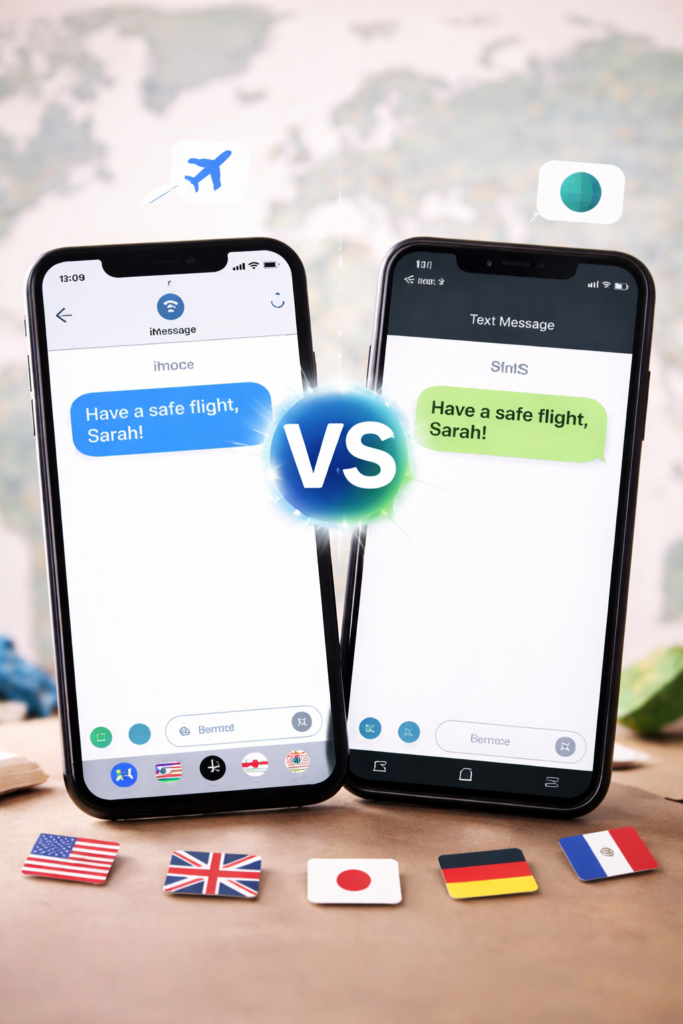
Sending text messages internationally can sometimes be confusing, especially when your iPhone shows both blue and green message bubbles. Many users are unsure whether to use iMessage or SMS when messaging someone in another country. Choosing the wrong option could result in unexpected charges, delayed delivery, or messages not being sent at all.
Understanding how iMessage and SMS work can help you decide which one is better for international texting and when to use each option.
Understanding iMessage
iMessage is Apple’s built-in messaging service that works using an internet connection. Instead of relying on your mobile carrier, it sends messages through Wi-Fi or mobile data.
When you send a message using iMessage:
- It uses internet data instead of SMS network
- Messages appear in blue bubbles
- You can send photos, videos, and files
- Read receipts and typing indicators are available
- No additional international SMS charges apply
- Works only between Apple devices
Because iMessage relies on internet connectivity, it works globally without additional texting fees.
Understanding SMS
SMS (Short Message Service) is the traditional texting method provided by mobile carriers. It sends messages through your cellular network instead of using the internet.
When sending SMS:
- Messages appear in green bubbles on iPhone
- Internet connection is not required
- Messages are routed through your carrier
- International charges may apply
- Limited multimedia support
- Works with any mobile phone
SMS is universal but can be costly when sending messages internationally.
Does iMessage Work Internationally?
Yes, iMessage works internationally without any extra SMS fees. Since it uses the internet, the message is delivered the same way whether the recipient is in the same country or abroad.
As long as both sender and receiver:
- Have Apple devices
- Have iMessage enabled
- Are connected to Wi-Fi or mobile data
…the message will be delivered through iMessage without international SMS charges.
Does SMS Work Internationally?
SMS also works internationally, but it depends on your mobile carrier. When you send an SMS to another country:
- Your carrier routes the message internationally
- Charges may apply per message
- Delivery may take longer
- Multimedia messages may cost more
- Some carriers block international SMS by default
This is why many users prefer internet-based messaging for international communication.
Key Differences Between iMessage and SMS for International Messaging
| Feature | iMessage | SMS |
|---|---|---|
| Uses Internet | Yes | No |
| Works Internationally | Yes | Yes |
| Extra Charges | No (uses data) | Usually Yes |
| Works on All Phones | No | Yes |
| Media Support | Yes | Limited |
| Delivery Speed | Fast | Depends on carrier |
| Encryption | Yes | No |
When iMessage is the Better Option
Using iMessage is usually the best choice for international texting when:
- Both users have iPhones
- Internet connection is available
- You want to avoid international charges
- You are sending photos or videos
- You need faster message delivery
This option is cost-effective and reliable for most users.
When SMS May Be the Better Option
SMS can still be useful in some situations:
- The recipient is using Android or non-Apple phone
- Internet connection is not available
- iMessage is turned off
- You need universal compatibility
- Data connectivity is weak
SMS ensures delivery even without internet access.
How to Tell Whether You’re Sending iMessage or SMS
On iPhone, it’s easy to identify which service is being used:
- Blue message bubble → iMessage
- Green message bubble → SMS
If your message appears green, it means your phone is sending it through SMS, which could incur international charges.
Why Messages Sometimes Switch from iMessage to SMS
Your iPhone may automatically switch from iMessage to SMS when:
- Internet connection is weak
- iMessage is disabled
- Recipient is not using an Apple device
- Send as SMS setting is enabled
- Apple servers are temporarily unavailable
This automatic switch can lead to unexpected international SMS charges.
Tips to Avoid International SMS Charges
To reduce the risk of sending paid SMS internationally:
- Keep iMessage enabled
- Use Wi-Fi when messaging abroad
- Disable “Send as SMS” in settings
- Confirm recipient uses iMessage
- Check your carrier’s international SMS rates
These steps help ensure messages are sent through the internet instead of SMS.
Choosing the Right Option for International Messaging
Both SMS and iMessage can send messages internationally, but they work differently. iMessage is usually the better choice when both users have Apple devices and internet access, as it avoids additional charges and supports multimedia sharing. SMS remains useful when contacting non-Apple devices or when internet connectivity is unavailable.
Understanding the difference allows you to choose the most reliable and cost-effective option when sending messages internationally.
Related FAQs
Yes, iMessage works internationally without SMS charges because it uses Wi-Fi or mobile data instead of your mobile carrier’s network. As long as both users have iMessage enabled and an internet connection, messages can be sent across countries without additional texting fees. However, mobile data charges may still apply if you are not connected to Wi-Fi.
In most cases, SMS messages sent internationally are charged by your mobile carrier. The cost depends on your plan and the destination country. Some providers include international texting in their packages, but many charge per message, which can increase costs when sending multiple texts abroad.
On an iPhone, messages sent using iMessage appear in blue bubbles, while SMS messages appear in green bubbles. If your message appears green, it means your phone is sending it through SMS. This is important to notice when messaging internationally, as SMS may result in additional charges.
Yes, you can still send messages internationally even if the recipient is not using an iPhone. In this case, the message will be sent as SMS instead of iMessage. Since SMS relies on your carrier’s network, international messaging fees may apply depending on your mobile plan.
Your iPhone may automatically switch from iMessage to SMS if there is no stable internet connection or if the recipient does not have iMessage enabled. This can also happen if the Send as SMS option is turned on in your device settings. When this switch occurs, the message is sent through your carrier network, which may lead to international SMS charges.